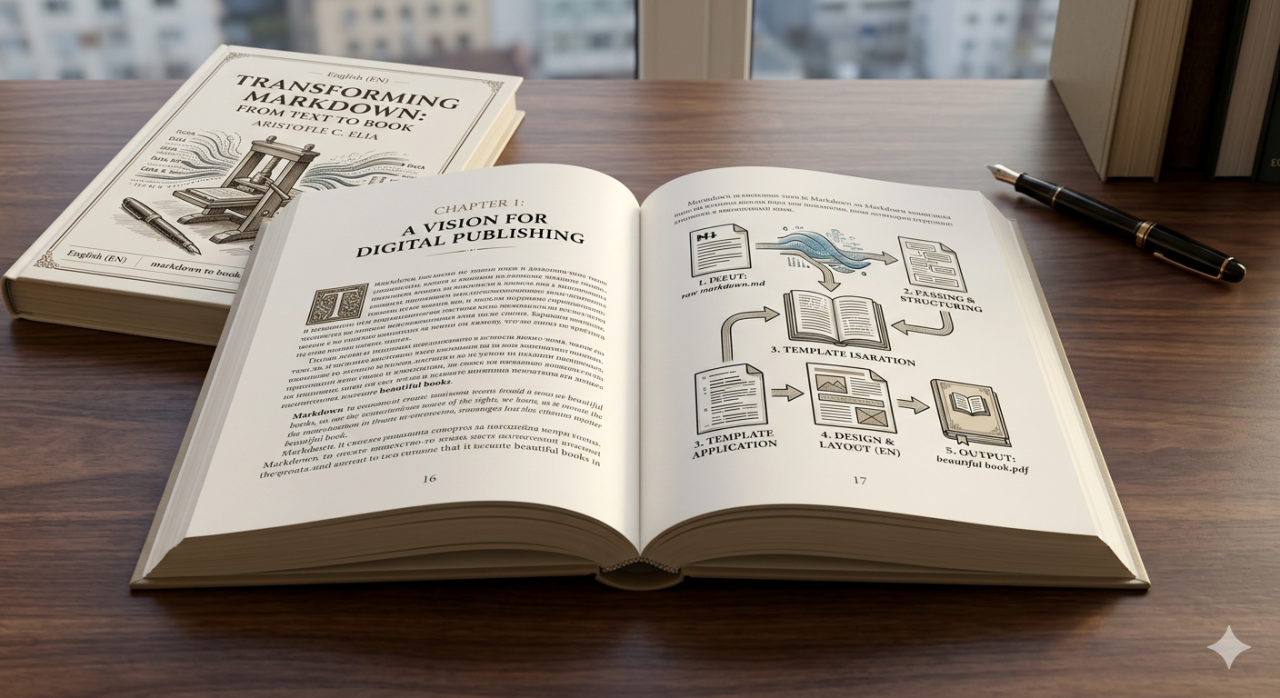
I Generate My Own Books From Markdown With Full Control Over Every Page
The publishing industry has a deeply rooted assumption that authors write and publishers produce. The author's job is the words. The publisher's job is everything else: layout, typography, page design, cover art, distribution, and the thousand small technical decisions that transform a manuscript into a finished book. Self-publishing platforms like Amazon KDP disrupted the distribution side of this equation by allowing anyone to publish and sell a book without a traditional publisher. But they did not disrupt the production side nearly as much as their marketing suggests. KDP still requires a finished PDF (for print) or a formatted EPUB (for digital), and creating those files from a raw manuscript requires either expensive desktop publishing software like Adobe InDesign, a learning curve measured in weeks for tools like LaTeX, or accepting the limited formatting options of converter tools that strip away most of the control that makes a book look professional.
The workflow described here takes a different path entirely. The source material is written in Markdown, the lightweight markup language that developers use for documentation and that has steadily expanded into broader use because of its simplicity. Markdown handles headings, paragraphs, bold text, italic text, links, images, code blocks, and lists with a syntax so minimal that the raw text is almost as readable as the formatted output. For writing prose, Markdown is superior to Word documents in one critical respect: it separates content from presentation completely. The words live in a plain text file with lightweight formatting markers. The visual design is applied separately during the PDF generation step. This separation means the same Markdown source can produce differently styled PDFs for different purposes (a reviewer copy with wide margins and large font, a final copy with tighter typography and full color, a print-ready copy with bleed marks and CMYK color space) without touching the content at all.
The PDF book generator API accepts the Markdown content along with a set of design parameters and produces a finished PDF. Those design parameters control everything that a traditional page layout application would control: page size, margins, font family and size for body text and headings, line height, paragraph spacing, header content and formatting, footer content and formatting, page numbering style and position, table of contents generation, chapter break rules, and image placement. The result is a PDF that is indistinguishable from one produced by a professional typesetter using desktop publishing software, generated in seconds from a plain text source file and a JSON configuration.
Writing in Markdown and Styling With HTML
Pure Markdown is sufficient for straightforward prose: chapters of text with occasional headings, emphasis, and images. But books often require formatting that goes beyond what standard Markdown supports. Pull quotes, sidebars, callout boxes, custom-styled paragraphs, multi-column layouts, and decorative elements are all common in professionally designed books and all absent from the Markdown specification. The solution is to embed HTML and CSS directly within the Markdown source where custom styling is needed. Markdown processors are designed to pass through raw HTML unchanged, which means a paragraph of standard Markdown followed by a styled div with custom CSS followed by another paragraph of standard Markdown will all render correctly in the final output.
This hybrid approach provides the best of both worlds. The bulk of the content is written in clean, distraction-free Markdown that focuses entirely on the words. The occasional styled element is written in HTML/CSS with pixel-level control over appearance. A chapter introduction might use a drop cap created with a CSS first-letter selector. A key concept might be highlighted in a colored callout box with a border and background. An author's note might be set in a smaller font with wider margins to visually distinguish it from the main text. These styled elements appear in the Markdown source as HTML blocks, clearly delineated from the surrounding prose, and they render in the final PDF exactly as the CSS specifies.
The practical experience of writing a book this way is surprisingly pleasant. A Markdown editor (or even a basic text editor) provides a clean, focused writing environment without the visual clutter of a word processor's toolbar, ribbon, and formatting panels. The writer sees the text, the headings, and the occasional HTML block, and nothing else. There are no font menus competing for attention, no style galleries suggesting unwanted formatting, no page layout considerations interrupting the flow of thought. The design happens later, separately, as a distinct step rather than an ongoing distraction. For writers who have experienced the creative productivity boost that tools like iA Writer and Ulysses provide through their minimalist interfaces, this workflow extends that philosophy all the way through to final PDF production.
Headers Footers Page Numbers and Table of Contents
The details that separate an amateur self-published book from a professionally produced one are almost entirely in the page furniture: headers, footers, page numbers, and the table of contents. These elements are so ubiquitous in published books that readers do not consciously notice them, but their absence or poor execution is immediately apparent. A book without page numbers feels unfinished. A book with inconsistent headers feels careless. A book whose table of contents lists page numbers that do not match the actual pages feels broken.
The PDF book generator handles all of these elements through the configuration parameters rather than requiring them to be embedded in the Markdown content. Page numbers can be positioned at the bottom center, bottom outside (alternating left and right for even and odd pages, as traditional book typography dictates), or bottom inside. The numbering format supports Arabic numerals for the main body and Roman numerals for front matter (preface, foreword, acknowledgments), with an automatic transition at the designated chapter. Headers can display the book title on left-hand pages and the chapter title on right-hand pages, again following the traditional typographic convention that readers expect without consciously recognizing.
The table of contents is generated automatically from the heading structure of the Markdown source. First-level headings become chapter entries. Second-level headings become section entries indented beneath their parent chapter. The page numbers in the table of contents are calculated during the rendering process and are guaranteed to match the actual pages in the generated PDF, because they are derived from the same rendering pass rather than entered manually. This automatic generation eliminates one of the most tedious and error-prone tasks in book production: maintaining a table of contents that stays accurate as content is added, removed, or reorganized during the editing process. In a traditional word processor, every structural change to the book risks breaking the table of contents. In this workflow, the table of contents is regenerated fresh with every PDF render, always accurate, always up to date.
Chapter breaks are configured to force new chapters onto right-hand (recto) pages, which is the standard convention in book publishing. If a chapter ends on a right-hand page, the next left-hand page is left intentionally blank (sometimes with a subtle "this page intentionally left blank" note, sometimes truly blank) so that the new chapter begins on the following right-hand page. This detail is nearly invisible to readers but immediately noticeable when it is absent, because chapters starting on left-hand pages feel "wrong" to anyone accustomed to reading traditionally published books, even if they cannot articulate why.
Watermarking Each Copy With a Unique QR Code
The most innovative part of this publishing pipeline is what happens after the PDF is generated. Each copy sold receives a unique watermark containing a QR code that identifies the specific copy, the purchaser, and the transaction. This is accomplished by passing the generated PDF through the watermark API, which applies an overlay to every page (or to specific pages, depending on the configuration) containing a semi-transparent QR code in a corner position that is visible upon inspection but does not interfere with reading.
The QR code itself links to a short URL that resolves to a verification page confirming the legitimacy of the copy. This serves multiple purposes simultaneously. First, it functions as a piracy deterrent. A PDF shared without authorization still carries the QR code identifying the original purchaser, which creates accountability. Second, it functions as an authenticity verification mechanism. A reader who wants to confirm that their copy is legitimate can scan the QR code and see a confirmation page rather than an error. Third, it functions as an analytics channel. Each scan of the QR code is logged, providing data about when and where copies are being read, which is information that traditional publishing provides only through sales data and surveys.
The watermarking is applied after the base PDF is generated, which means the same source Markdown produces the same base PDF every time, and the per-copy customization happens in a separate processing step. This separation is important because it means the editing and layout workflow is completely independent of the distribution workflow. Content changes, design adjustments, and typographic refinements all happen at the base PDF level. Copy-specific watermarking happens at the distribution level. Neither process interferes with the other, and both can be automated independently.
The Complete Indie Publishing Pipeline
Viewed end to end, the pipeline from raw text to watermarked, sale-ready PDF consists of four discrete steps, each handled by a different component but all connected through a single automated workflow. Step one is writing the content in Markdown with optional HTML/CSS styling for custom elements. This step happens in any text editor the author prefers and produces a plain text file that is version-controllable, diffable, and immune to the proprietary format issues that plague word processor documents. Step two is configuring the PDF generation parameters: page size, fonts, margins, headers, footers, numbering, and table of contents settings. This configuration is a JSON object that can be saved, versioned, and reused across multiple books or editions. Step three is generating the base PDF by sending the Markdown content and the configuration to the PDF book generator API. The output is a professionally formatted PDF ready for review. Step four is applying per-copy watermarks when copies are sold, using the watermark API to stamp each PDF with a unique QR code before delivery.
The entire pipeline runs without a single piece of desktop publishing software. No InDesign. No LaTeX. No Word. The writing tool is a text editor. The layout tool is a JSON configuration file. The rendering tool is an API. The watermarking tool is another API. The distribution mechanism is whatever the author chooses: direct sales through their own website, delivery through email, or distribution through platforms that accept PDF submissions. The author controls every element of the process, from the words on the page to the font they are set in, the position of the page numbers, and the watermark that identifies each copy. Nothing is outsourced to a platform that imposes its own template, its own branding, or its own constraints.
For indie authors and self-publishers who have felt constrained by the limitations of consumer-grade publishing tools, this pipeline offers something that has historically been available only to professional publishers with dedicated production staff: complete typographic control over the final output, combined with per-copy customization for distribution and piracy prevention, all running through an automated workflow that reduces the production step from hours of manual layout work to a single API call. The book you hold (or the PDF you read on a screen) was written as plain text, styled as JSON, rendered as pixels, and stamped with a QR code that links your specific copy to your specific purchase. Every page, every margin, every header, every footer was a deliberate choice rather than a template default. The publishing industry has a term for this level of control. They call it "professional production." The appropriate term for achieving it from a text editor and an API call is simply "publishing in 2026."
Frequently Asked Questions
Can the PDF book generator handle images and illustrations?
Yes. Images can be included in the Markdown source using standard Markdown image syntax or HTML image tags for more precise positioning and sizing control. The generator supports common image formats (PNG, JPEG, SVG) and can position images inline with text, full-width across the page, or floated to one side with text wrapping. Image resolution should be at least 300 DPI for print-quality output.
What page sizes are supported?
The generator supports standard book sizes including US Letter (8.5 x 11 inches), A4, A5, US Trade (6 x 9 inches), Royal (6.14 x 9.21 inches), and custom dimensions specified in the configuration. Print-on-demand services like Amazon KDP accept several of these standard sizes, so the output is compatible with common self-publishing distribution channels.
How does the per-copy watermarking affect file size?
The QR code watermark adds minimal overhead to the PDF file size, typically less than 50 KB per file regardless of the book's length. The watermark is rendered as a vector element (for QR codes) or a lightweight raster overlay, so it does not significantly increase the file size or affect the rendering speed of the PDF in reader applications.
Can the same Markdown source produce different editions of a book?
Yes, and this is one of the primary advantages of the Markdown-plus-configuration approach. The same Markdown content can be rendered with different JSON configurations to produce different editions: a large-print edition with bigger fonts and wider margins, a compact edition with tighter typography, a review copy with extra margin space for annotations, or a print-ready edition with bleed marks and CMYK color conversion. The content stays the same; only the presentation changes.
Is LaTeX required for mathematical or scientific content?
The generator supports basic mathematical notation through HTML and Unicode characters. For complex mathematical equations and scientific notation, LaTeX remains the superior tool due to its native support for mathematical typesetting. The PDF book generator is optimized for prose-heavy books (fiction, non-fiction, business, self-help) rather than technical publications with heavy mathematical content.
Can the watermark be removed from the PDF?
The watermark is embedded directly into the PDF page content during rendering, not applied as a separate layer that can be easily stripped. While no watermark is completely tamper-proof against determined technical efforts, the embedded approach makes removal significantly more difficult than layer-based watermarks, and any removal attempt will likely leave visible artifacts in the document. The primary value of the watermark is deterrence through traceability rather than absolute prevention of copying.